Overview
API keys are the fundamental credentials required to access the Oceanpayment API. They act as the username and password for your application, allowing Oceanpayment to identify which account is making the request. To interact with Oceanpayment from your application, you authenticate API requests using a combination of keys.
- You must complete your merchant account registration and verification before generating API keys.
- The required configuration information varies by scenario (such as Accept Payments, OPCard, and OPCCOUNT). Please apply for the appropriate configuration based on the specific feature or use case.
Accept Payments
Configuration
account: Oceanpayment account number.terminal: Oceanpayment terminal number, used to distinguish different payment channels or payment scenarios.secureCode: Oceanpayment secure code, used to encrypt thesignValuefield. For security reasons, this secure code must not be submitted in API requests; it is used for encryption purposes only.key: Oceanpayment public key, used to encrypt card information. This is required only for credit card payments using Embedded or Server-to-Server integrations.
👉Getting Started with payment configuration.
Environment
- Sandbox Environment: Please contact Oceanpayment technical support at techservice@oceanpayment.com.cn to enable access.
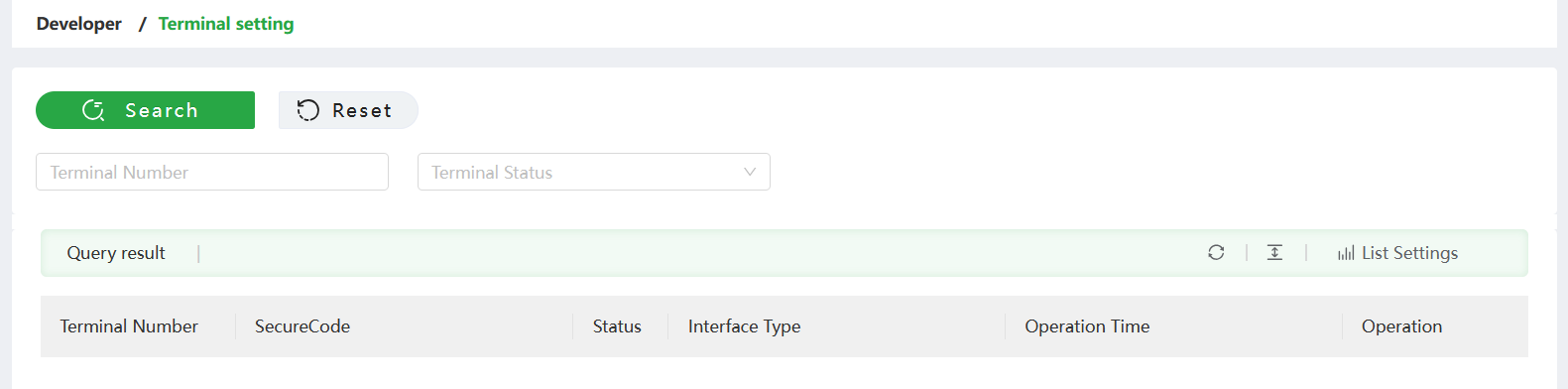
- Production Environment: After completing business account registration and verification, you can view the corresponding account configuration information in the Account Dashboard > Developer > Terminal setting.
OPCard
Configuration
app_key: your developer ID assigned after business verification.app_secret: the secret corresponding to your developer ID.
Environment
After completing IAM registration, log in to IAM.
- Sandbox Environment:
- Once the account completes business verification, the sandbox tools will be enabled automatically. You may also apply for “Enable Sandbox Tools” to activate the sandbox environment in advance.

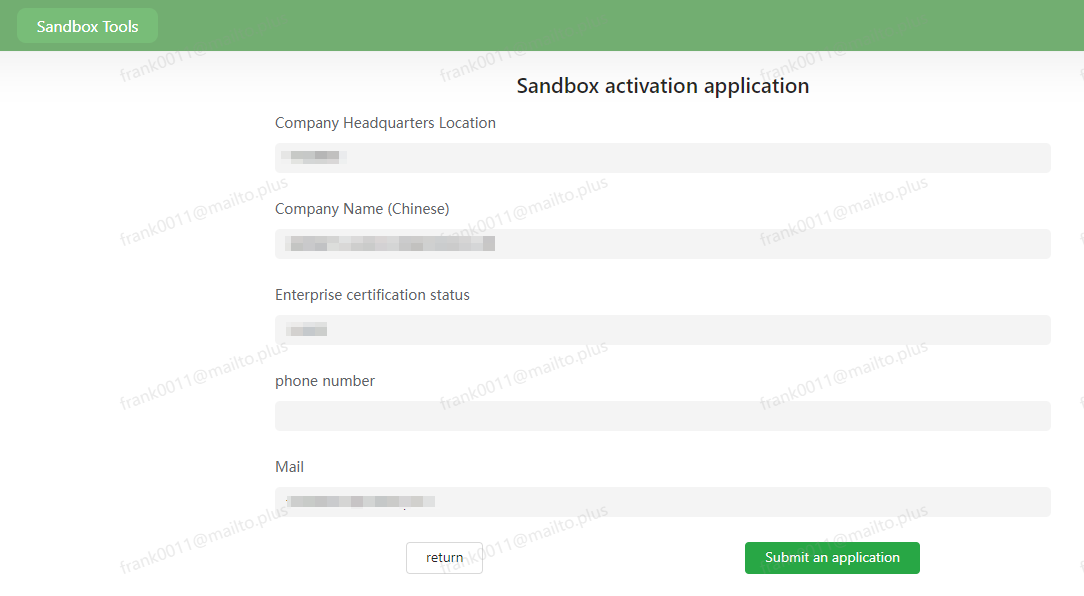
- After business verification is approved or a manual application is approved, the sandbox environment will be activated. Visit the Sandbox Environment to log in and reset API keys.
- Production Environment:
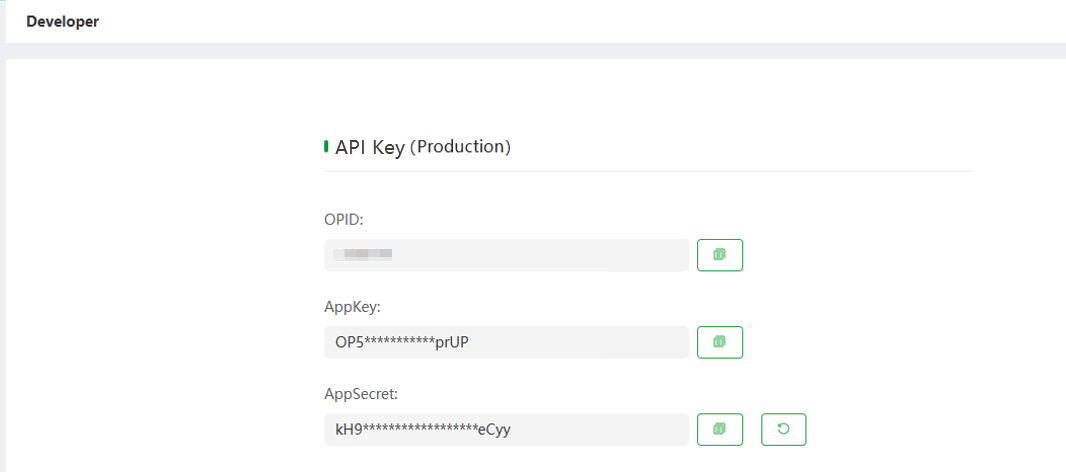
- After completing business account registration and verification, view the corresponding account configuration information in the Developer module.
- Production key path: IAM > Home > Developer Console > Developer > Key Management.
Authentication & Security
App Key and App Secret are used for server-to-server authentication to obtain an Access Token. Your application sends the token with subsequent API requests to authenticate and authorize access to protected resources.
Authentication Flow
- Request a token: Before calling any API, send your App Key and App Secret to generate an access token.
- Receive the token: OOceanpayment returns a token that represents your authenticated session.
- Use the token: Include the access token in API requests to verify identity and permissions.
Creating a Token
curl -X POST 'https://checkout-s.oceanpayment.com/open-api/v1/oauth/token/create'
-H 'Content-Type: application/json'
-D '{"app_key":"7FWGJDQYQZFCPXT7QL", "app_secret":"LQ7qF1UM7x3BfyfYTVa24qci53uPsNGJmrlC2NEJQq8BLszrrsRdIJb04teTgAx9yV5ncXPOjpYOYC0rZ6BkWP7yesQD0Dla3hRJ8WCd6880qaJeZM6idAv0WZYnY5s1"}'
Refreshing a Token
Why Refresh Tokens? Rotating your application tokens at regular intervals helps to:
- Replace tokens configured to expire automatically.
- Limit the impact of any compromised tokens.
- Ensure that access tokens used for API requests remain valid, as each token is only valid for 60 minutes.
Use the refresh_token from your initial token to generate a new access token.
curl -X POST 'https://checkout-s.oceanpayment.com/open-api/v1/oauth/token/refresh'
-H 'Content-Type: application/json'
-D '{"refresh_token":"eyJhbGciOiJIUzUxMiJ9.eyJvcF9pZCI6IjI1MDAwMDEiLCJzaWduX2RhdGUiOjE3NTM5NTgwNTV9.__P-t3t24aB5ptYVfH6dkOD7m7TOtzBJ0Ua30CC5QNFTlI1br3DaLykW6ggU5pyp3ztaW4aTESZKcSt59WH-SA"}'
OPCCOUNT
Configuration
Opccount-No: OPCCOUNT account number.Va-Code: A unique merchant identifier provided by Oceanpayment.
Environment
- Sandbox Environment: Please contact Oceanpayment technical support to enable access.
- Production Environment: After completing business account registration and verification, Oceanpayment technical support will provide the configuration information.