Shopify
How do I select the payment logo in the Shopify backend?
Simply select the corresponding card type you are applying for. For example, if you applied for Visa and Mastercard, only select the Visa and Mastercard card types.

Does enabling payment require setting up a test environment?
It is not necessary to enable it, otherwise the test environment will be submitted.

Why can't I install the Shopify app from the app store?
The inability to install is due to an issue with the app's settings. Please contact Oceanpayment technical support.
The Shopify backend supports both Oceanpayment and other credit card payment methods.
Multiple instances of the "Jump Mode" (/docs/saas/payment-installation#jump mode) can be installed simultaneously, while only one instance of the "Direct Mode" (/docs/saas/payment-installation#direct mode) can be installed.
Can the order of Shopify payment methods be adjusted?
Currently, only the Shopify Plus version supports modification. See the official documentation for detailed instructions: https://help.shopify.com/zh-CN/manual/checkout-settings/script-editor
Does Shopify support multi-currency (local currency) payment?
Only Shopify Payments and Ayden support multi-currency payments. See the official documentation for detailed instructions: https://help.shopify.com/zh-CN/manual/international/pricing/limitations
Currency format modification
Make the changes in the store's backend: 【theme-customise】 -【Store details】-【Store currency】-【change formatting】。
The payment method is not displayed on the front end.
- Check if the store has any plugins that restrict third-party payment methods.
- Please contact Oceanpayment technical support; they will provide an alternative app for installation.
Can manual authorization be enabled for Shopify stores?
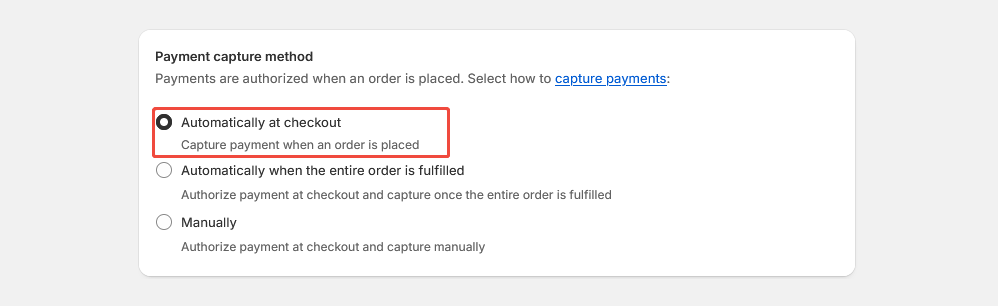
This function is set to automatic authorization by default: [Payment capture method] - [Manage] - [Automatically at checkout]. If you need to set it to manual authorization, please contact us in advance.
How do I uninstall Shopify payment methods?
In the store, go to Settings - Payments, find the corresponding payment method, and click Deactivate - Uninstall to complete the uninstallation.
Can Shopify change and customize the order of payment method names?
- The Shopify Plus version allows you to modify and customize the order of payment method names: https://help.shopify.com/zh-CN/manual/checkout-settings/checkout-blocks/customizations/payment-methods
- Alternatively, you can install and use the third-party plugin EasyPay Payment Rules.
How do I search for Oceanpayment order numbers in the store backend?
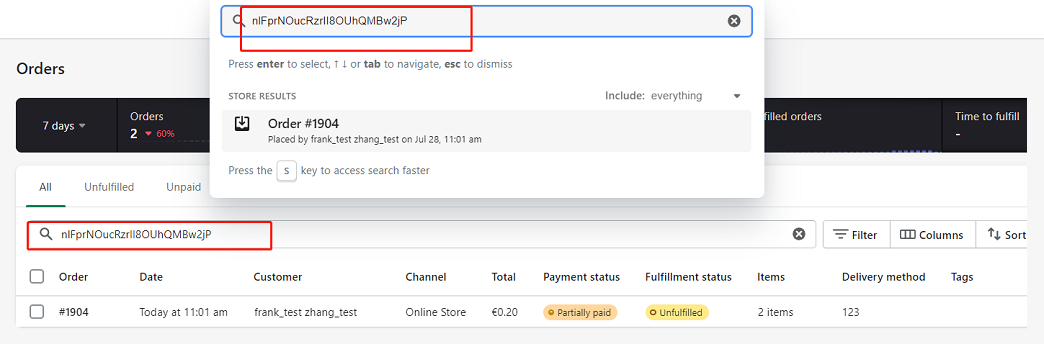
Enter the Oceanpayment order number in the Shopify order management page [orders] to search:
How can I view the error message returned when payment fails?
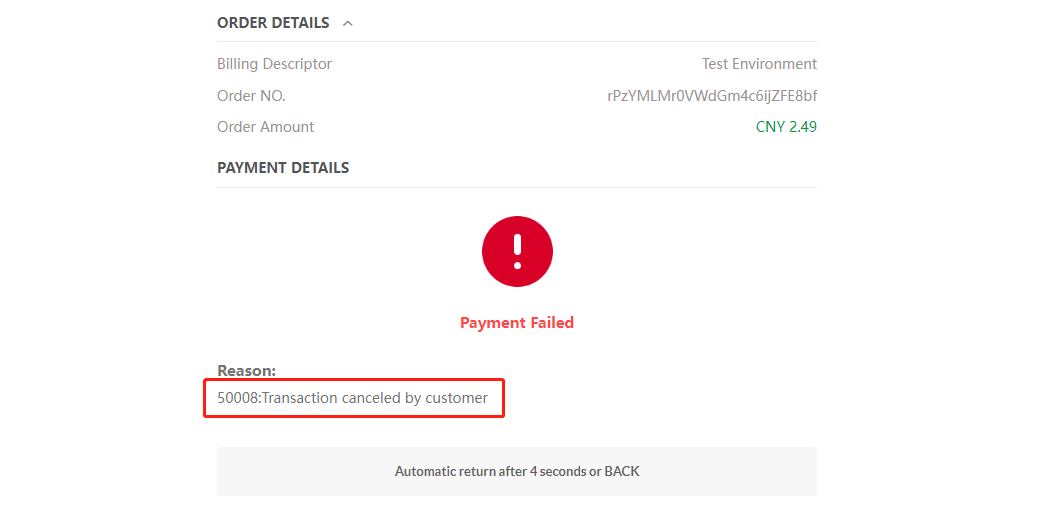
Fails messages will be displayed directly on the payment page: