Add Terms & Conditions
- Create a
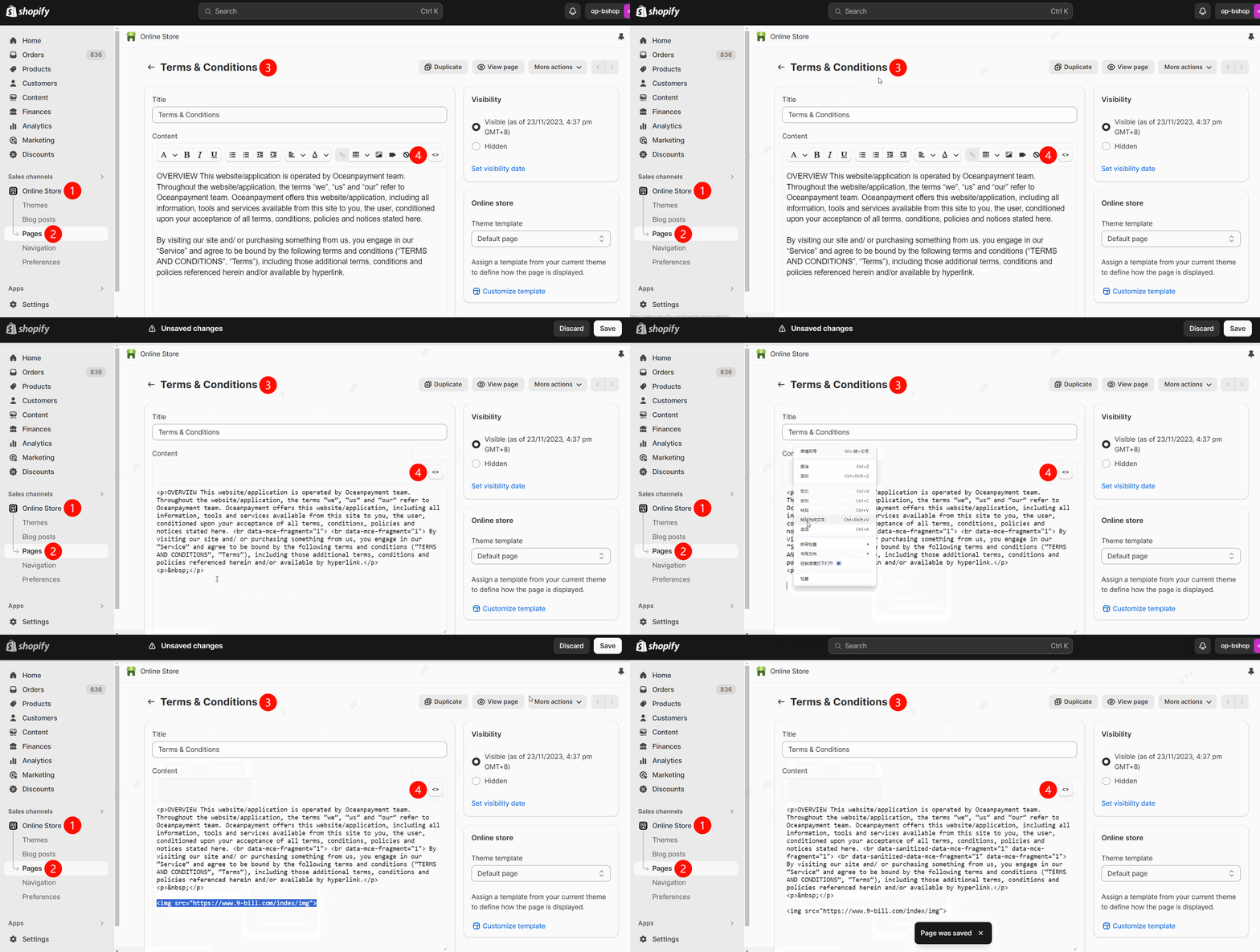
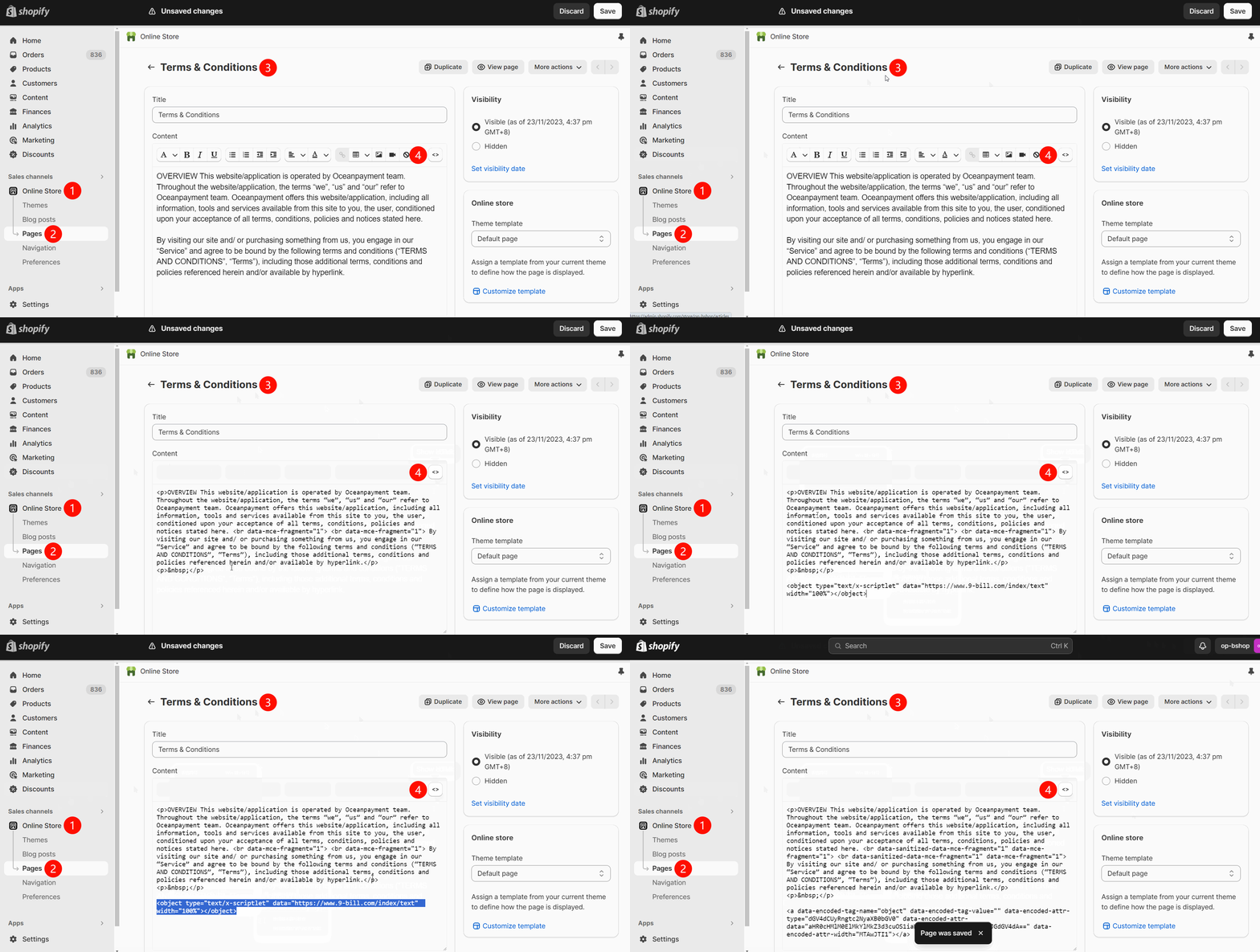
Terms & Conditionspage in the store's backend menu under 【Online Store】-【pages】 or 【Settings】-【Policies】 (if this page does not exist). - In the Terms & Conditions page code editor, copy one of the following images or texts and add it using one of the code methods (refer to the corresponding link provided in the website's modification suggestions).
- Add image link
- Add text link
<img src="https://www.9-bill.com/index/img">
<object type="text/x-scriptlet" data="https://www.9-bill.com/index/text" width="100%"></object>
Add INTELLECTUAL PROPERTY RIGHTS
- Create the
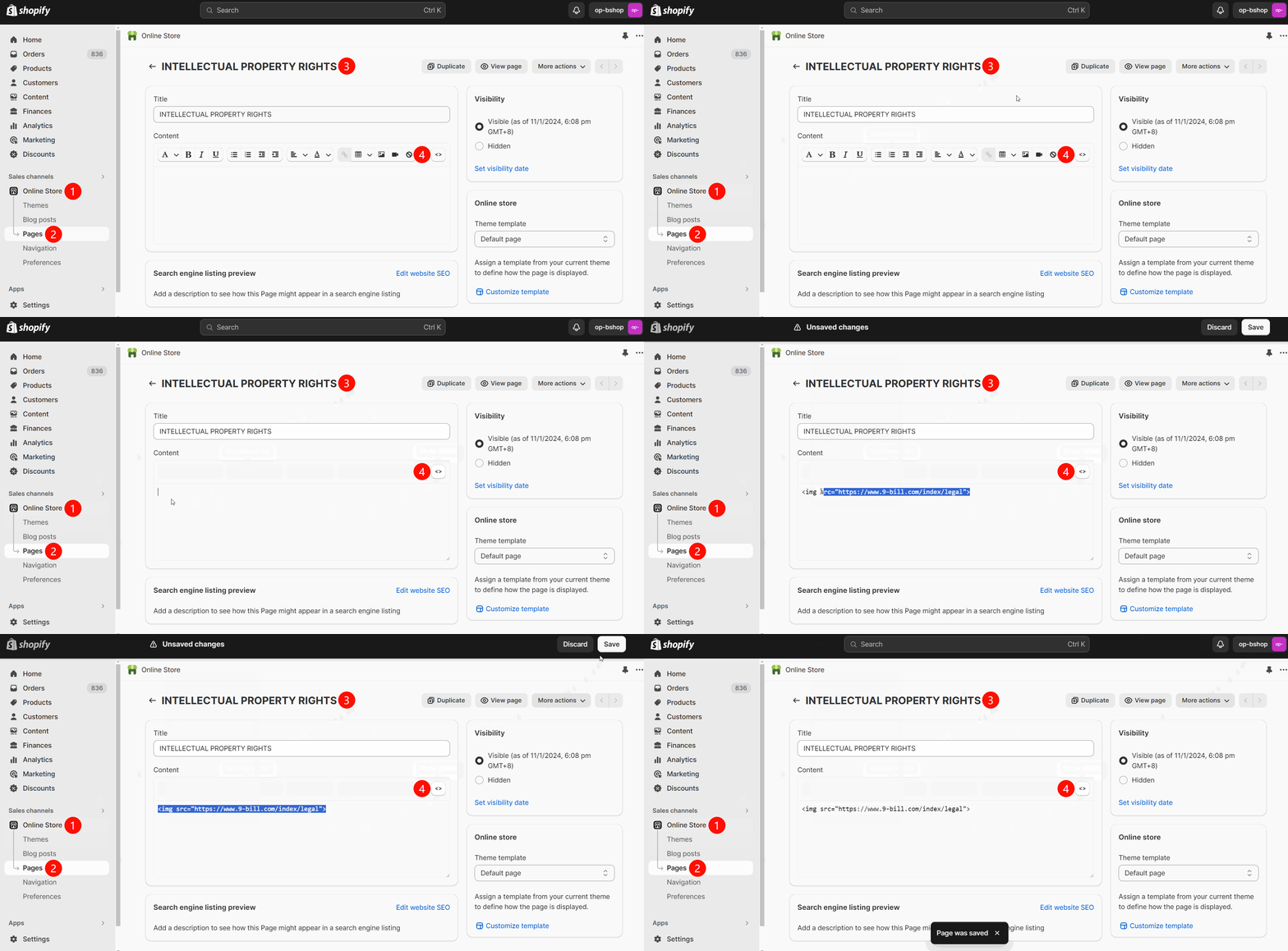
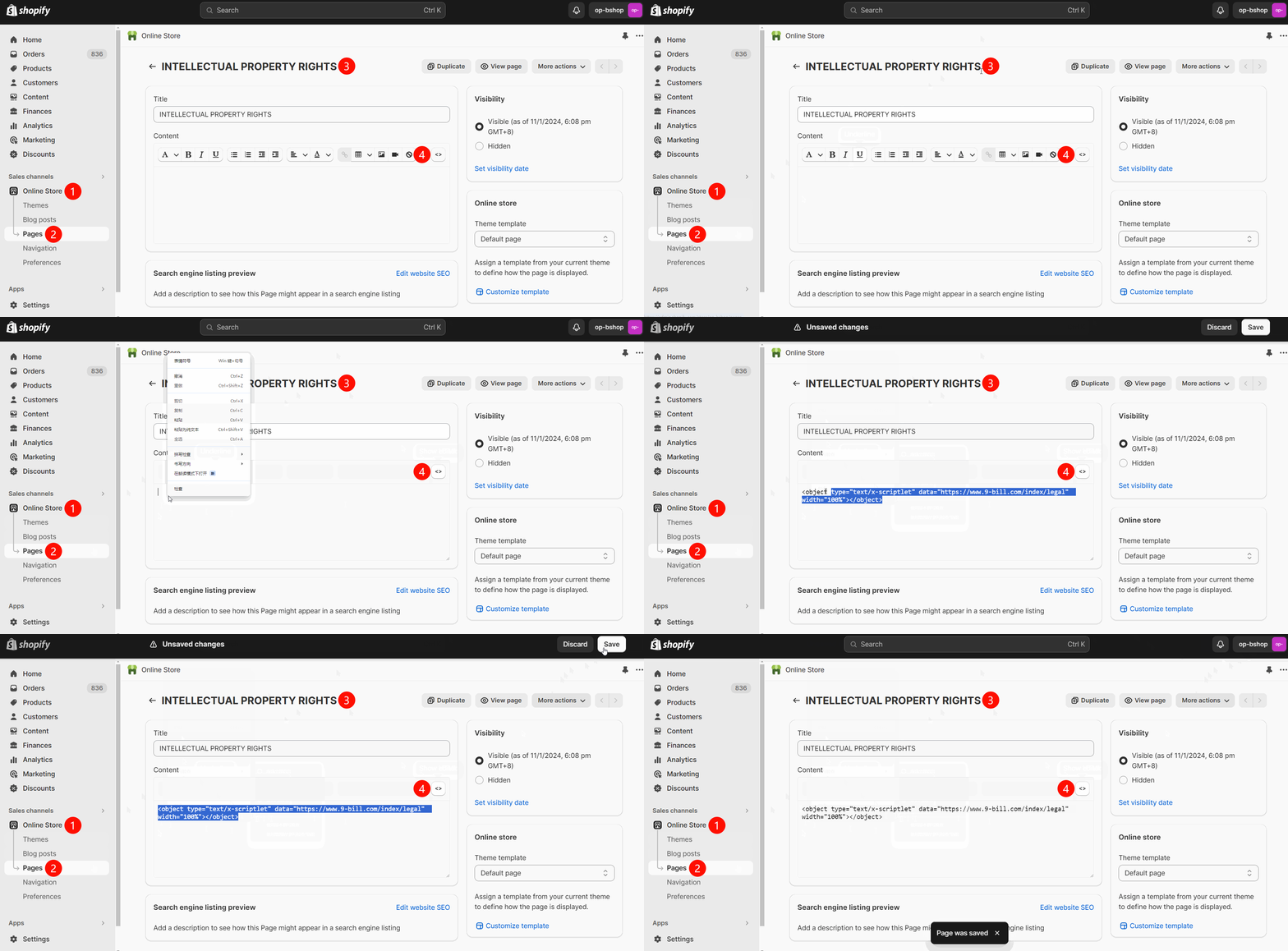
INTELLECTUAL PROPERTY RIGHTSpage in the store's backend menu under 【Online Store】-【pages】 (if this page does not exist). - In the INTELLECTUAL PROPERTY RIGHTS page code editor, copy one of the following images or texts and add it using one of the code methods (refer to the corresponding link provided in the website's modification suggestions).
- Add image link
- Add text link
<img src="https://www.9-bill.com/index/legal">
<object type="text/x-scriptlet" data="https://www.9-bill.com/index/legal" width="100%"></object>
How to add the Terms and Conditions page to the website footer?
- In the Shopify admin panel, under 【Online Store】-【Navigation】-【Footer menu】, add the
Terms & ConditionsandINTELLECTUAL PROPERTY RIGHTSpages.
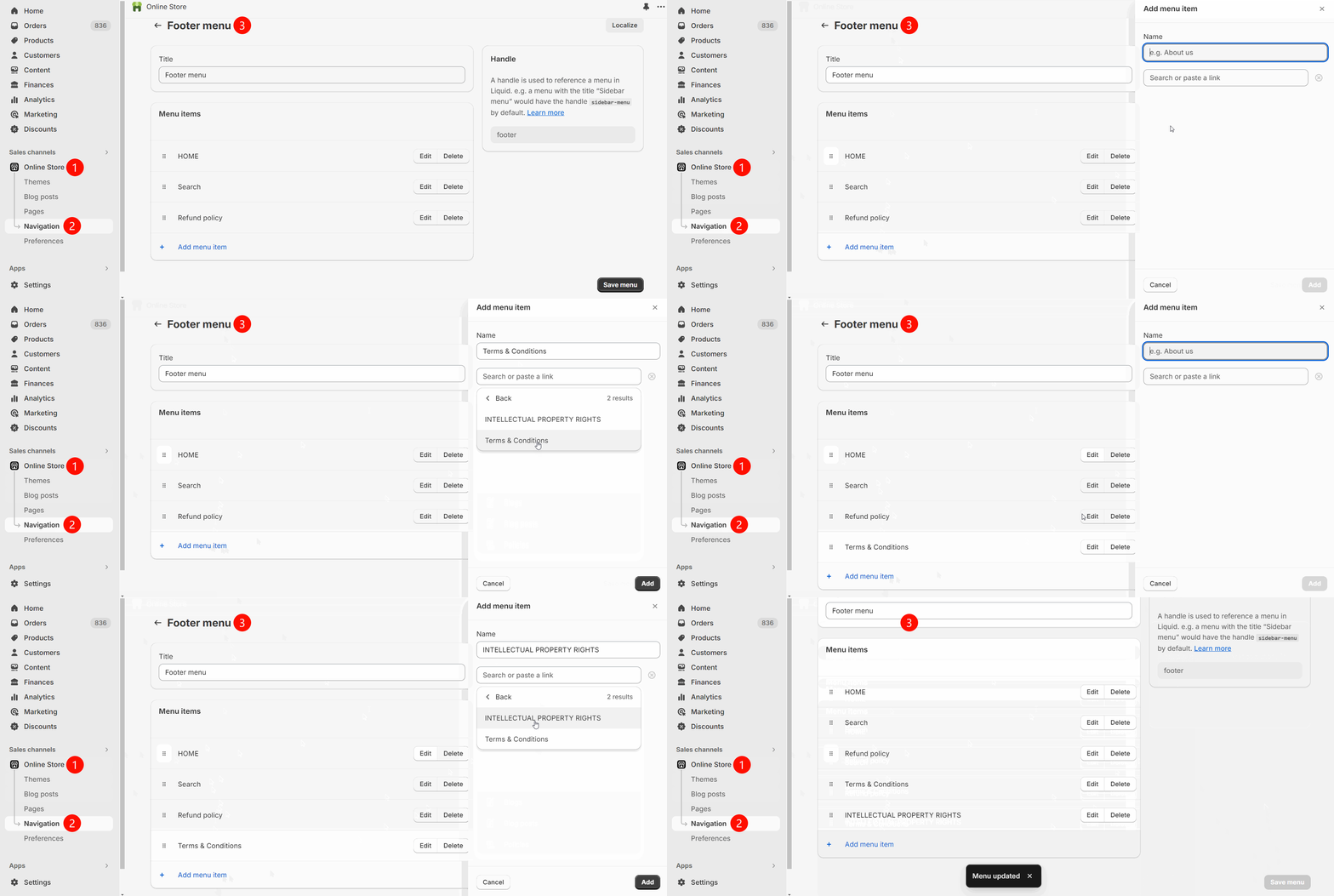
Why are the added content not displaying?
- Please check the code pasted into the code editor on the corresponding page to ensure it is correct and free of spaces or errors.
- Has the store initiated a payment integration application?
- Please contact Oceanpayment technical support for assistance.
Modification of payment logo at the bottom of the website
Method One
- You may modify the website footer logo by installing the Shopify Oceanpayment Connect app.

Method Two
- In the shop backend menu, navigate to [Online Store] - [Themes] - [Edit code] and locate the
footer.liquidfile. - Search for the keyword payment within the footer file's code (quick action:
ctrl+F).
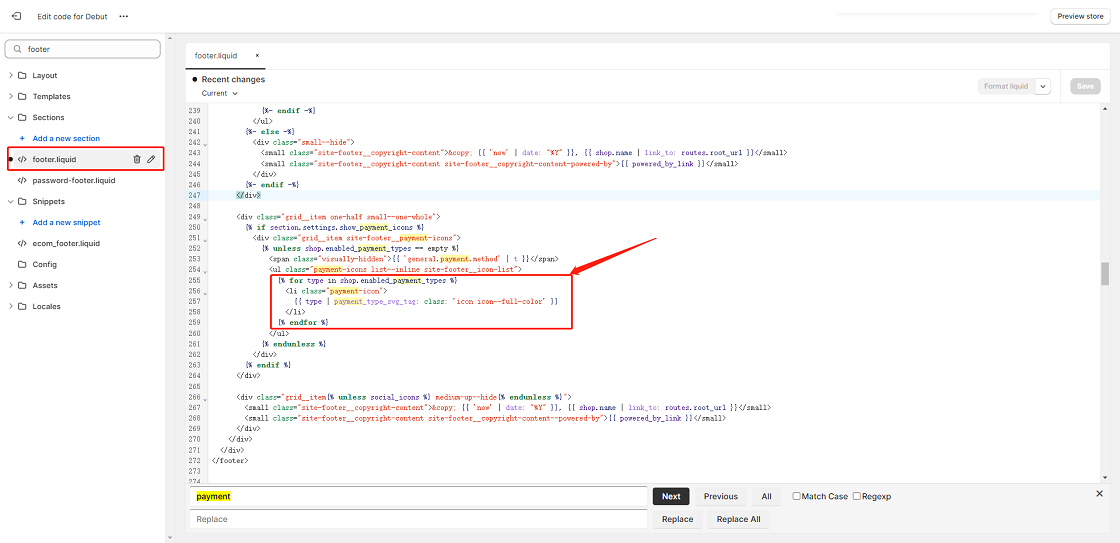
- Locate the
forandendfortags corresponding to payment, comment out these lines of code by selecting them and pressingctrl+/. After commenting them out, add the following code on the next blank line:
<img src="{{ 'paypal' | payment_type_img_url }}" height="25" alt="paypal" />
<img src="{{ 'visa' | payment_type_img_url }}" height="25" alt="visa" />
<img src="{{ 'master' | payment_type_img_url }}" height="25" alt="master" />
<img src="{{ 'maestro' | payment_type_img_url }}" height="25" alt="maestro" />
<img src="{{ 'jcb' | payment_type_img_url }}" height="25" alt="jcb" />
<img src="{{ 'american_express' | payment_type_img_url }}" height="25" alt="american express"/>
<img src="{{ 'diners_club' | payment_type_img_url }}" height="25" alt="diners club" />
<img src="{{ 'discover' | payment_type_img_url }}" height="25" alt="discover" />
<img src="{{ 'klarna' | payment_type_img_url }}" height="25" alt="klarna" />
<img src="{{ 'google_pay' | payment_type_img_url }}" height="25" alt="googlepay" />
<img src="{{ 'apple_pay' | payment_type_img_url }}" height="25" alt="applepay" />