Oceanpayment Payment Links
Increase conversions with shareable payment links
Create branded payment links in seconds—no coding or technical development required.
- ✅ Accept payments anytime, anywhere—no need to build a standalone e-commerce website
- ✅ Provide a smooth checkout experience to reach more customers, drive faster conversions, and increase revenue
- ✅ Secure transactions with tokenization and 3D Secure (3DS) authentication
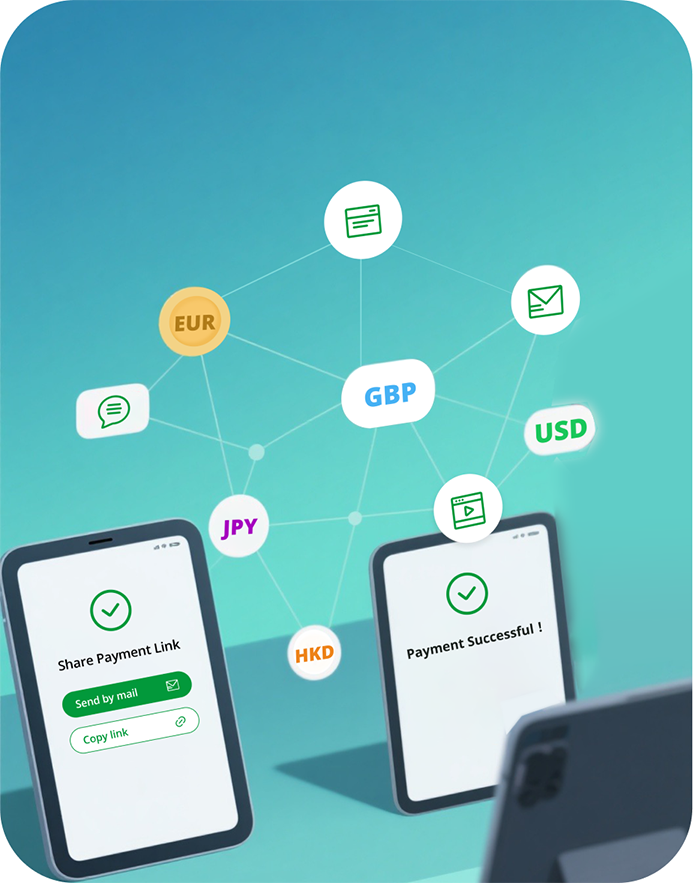
How Payment Links Work
- Configure products, amounts, and order numbers in the Oceanpayment Merchant Portal or via API.
- Generate a payment link or QR code.
- Share the link with customers via email, SMS, or social media.
- Customers click the link and complete payment on the Oceanpayment hosted page.
Integration Options
Oceanpayment supports three integration options for payment link scenarios:
| Integration Method | Description | Supported Payment Methods | Order Expiratio |
|---|---|---|---|
| Payment Link | API-only integration, no UI | Credit Card | Default 48 hours (configurable) |
| MOTO | Merchant Portal → MOTO Orders | Credit Card | Default 48 hours (configurable) |
| Link | Merchant Portal → Link Management | Credit Card, WeChatPay, Alipay, UnionPay | Default 48 hours (configurable) |
Payment Flow Overview
Create a Payment Link Order
The merchant server calls the Payment Link (MOTO) API to create an order by submitting the required parameters:
cURL -X POST 'https://test-secure.oceanpayment.com/gateway/service/moto' \
-H 'Content-Type: application/x-www-form-urlencoded' \
-d 'account=995149' \
-d 'terminal=99514901' \
-d 'signValue=6b86b273ff34fce19d6b804eff5a3f5747ada4eaa22f1d49c01e52ddb7875b4b' \
-d 'backUrl=https://www.abc.com/back.php' \
-d 'noticeUrl=https://www.abc.com/notice.php' \
-d 'order_number=NO12345678' \
-d 'order_currency= USD' \
-d 'order_amount= 0.01' \
-d 'methods=Credit Card' \
-d 'order_notes=' \
-d 'productNum=1' \
-d 'productName=Red Dress' \
-d 'productSku=#001' \
-d 'productPrice=0.01' \
- Retrieve the
MOTO_urlpayment link:
<?xml version="1.0" encoding="UTF-8"?>
<respon>
  <account>995149</account>
  <terminal>99514901</terminal>
  <signValue>82ae484ccbc2e6f28dd4dd2a759046459a16ee34b8a8cb5acd522c1890602eb6</signValue>
  <order_number>NO12345678</order_number>
  <order_currency>USD</order_currency>
  <order_amount>1.99</order_amount>
  <order_notes></order_notes>
  <payment_id>180808092746539010540</payment_id>
  <MOTO_url>https://test-secure.oceanpayment.com/gateway/service/moto?moto_id=684</MOTO_url>
  <MOTO_results>1</MOTO_results>
  <MOTO_details>Success</MOTO_details>
</respon>
- Redirect the customer to the payment page:
HTTP/1.2 301 Moved Permanently
Location: {MOTO_url}
- The customer selects a payment method and completes payment on the Oceanpayment page.
- After payment, the customer is redirected back to the merchant's backUrl.
Handling Payment Results
When processing payment results,
- Synchronous results are returned via
backUrl. - Asynchronous notifications are sent to
noticeUrland should be used as the final source of truth. - Refer to the payment status documentation for detailed status definitions.
Signature Verification
Refer to the Signature & Verification section for details on request signing and response validation.