Overview
On the Oceanpayment payment page, you can customize the page style to match your brand and user experience requirements.
Supported Integrations
The following integration types support custom page styling:
Customization Method
- You can modify the CSS style of the Oceanpayment payment page by passing the cssUrl parameter in the payment request.
- The cssUrl should point to an online CSS file that is publicly accessible and must start with https://.
Style Reference
In your CSS file, you can customize the page by targeting the following classes and properties:
| CSS Class | Description | Example Properties |
|---|---|---|
.field__input | Card input fields | • border • border-radius • background-color • color • font-size |
.confirm | Payment confirm button | • border • border-radius • background-color • color • font-size |
.cancel | Payment cancel button | • display • border • border-radius • background-color • color • font-size |
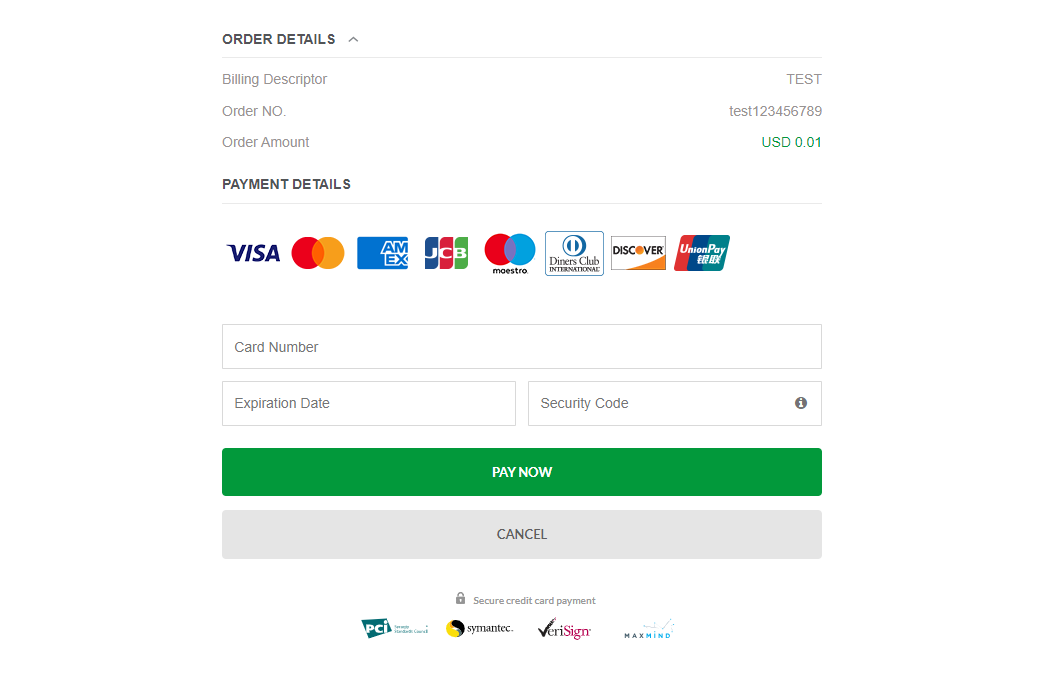
Hosted Checkout
Credit Card
- Default page appearance
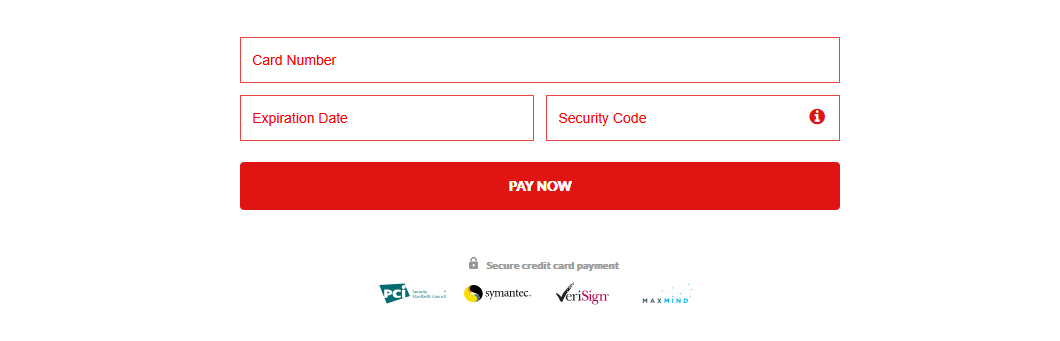
- Custom CSS via cssUrl
- Oceanpayment automatic redirection
<input type="hidden" name="cssUrl" value="https://www.oceanpayment.com.cn/wp-content/themes/oceanpayment/css/style-red.css" />
Embedded Integration
- Default page appearance

- Custom CSS via cssUrl
- Credit Card
- GooglePay
- ApplePay
<script>
  $(function() {
      Oceanpayment.init(' ','https://www.oceanpayment.com.cn/wp-content/themes/oceanpayment/css/style-black.css','');
  });
</script>

GooglePay payment button style reference: https://developers.google.com/pay/api/web/guides/resources/customize
<script>
   $(function() {
        onePageGooglePay.init(true, {
            buttonStyle: {
                buttonColor:'',
                buttonType:'',
                buttonRadius:'',
                buttonSizeMode:'',
                buttonLocale:''
            }
        });
  });
</script>
ApplePay payment button style reference: https://developer.apple.com/documentation/apple_pay_on_the_web/applepaybutton
<script>
   $(function() {
        onePageApplePay.init(true, {
            buttonStyle: {
                buttonstyle:'',
                type:''
            }
        });
   });
</script>